

Obtaining Your API Key
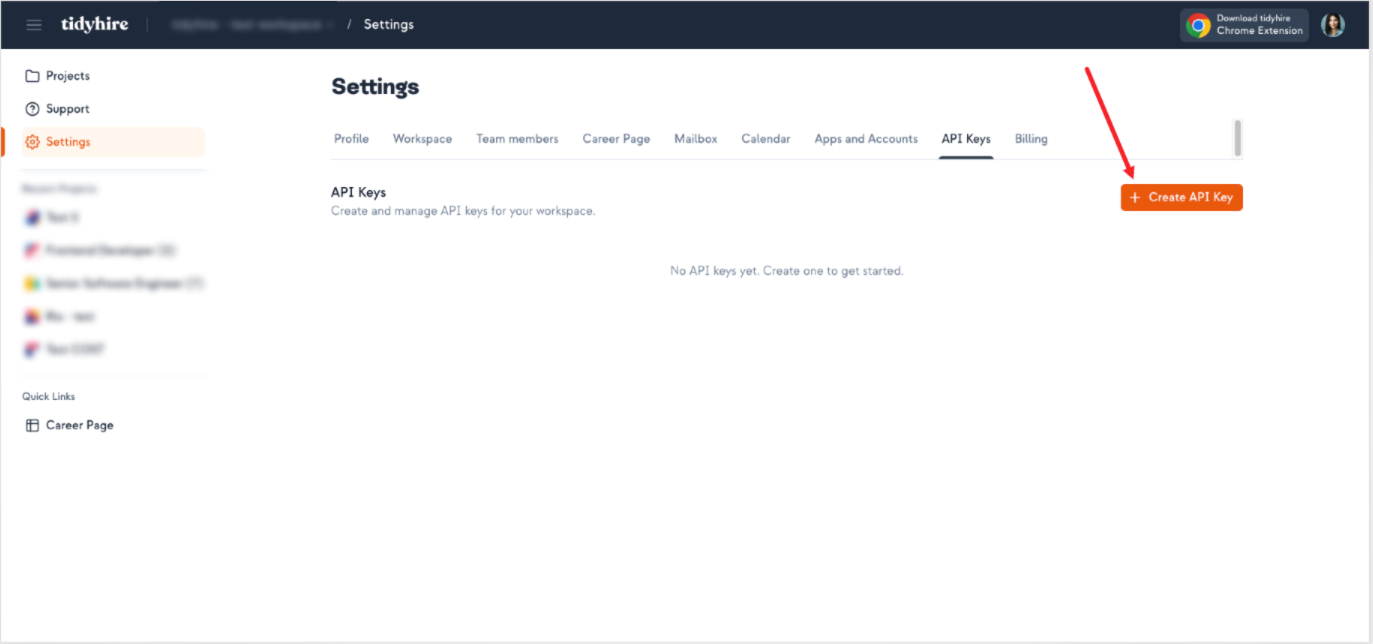
To use the Tidyhire API, you need an API key. You can generate one from your Tidyhire Dashboard.- Navigate to Settings > API Keys in your Tidyhire Dashboard.
- Click + Create API Key.
Using Your API Key
Include your API key in thex-tidyhire-api-key header with every request.
Security Best Practices
- Never expose your API key in client-side code or public repositories
- Store your API key in environment variables or a secrets manager
- Rotate your API key periodically from the Tidyhire Dashboard
- Use separate keys for development and production environments